
Introduction: Why Pinterest Belongs in Your Remote Job Search Toolkit
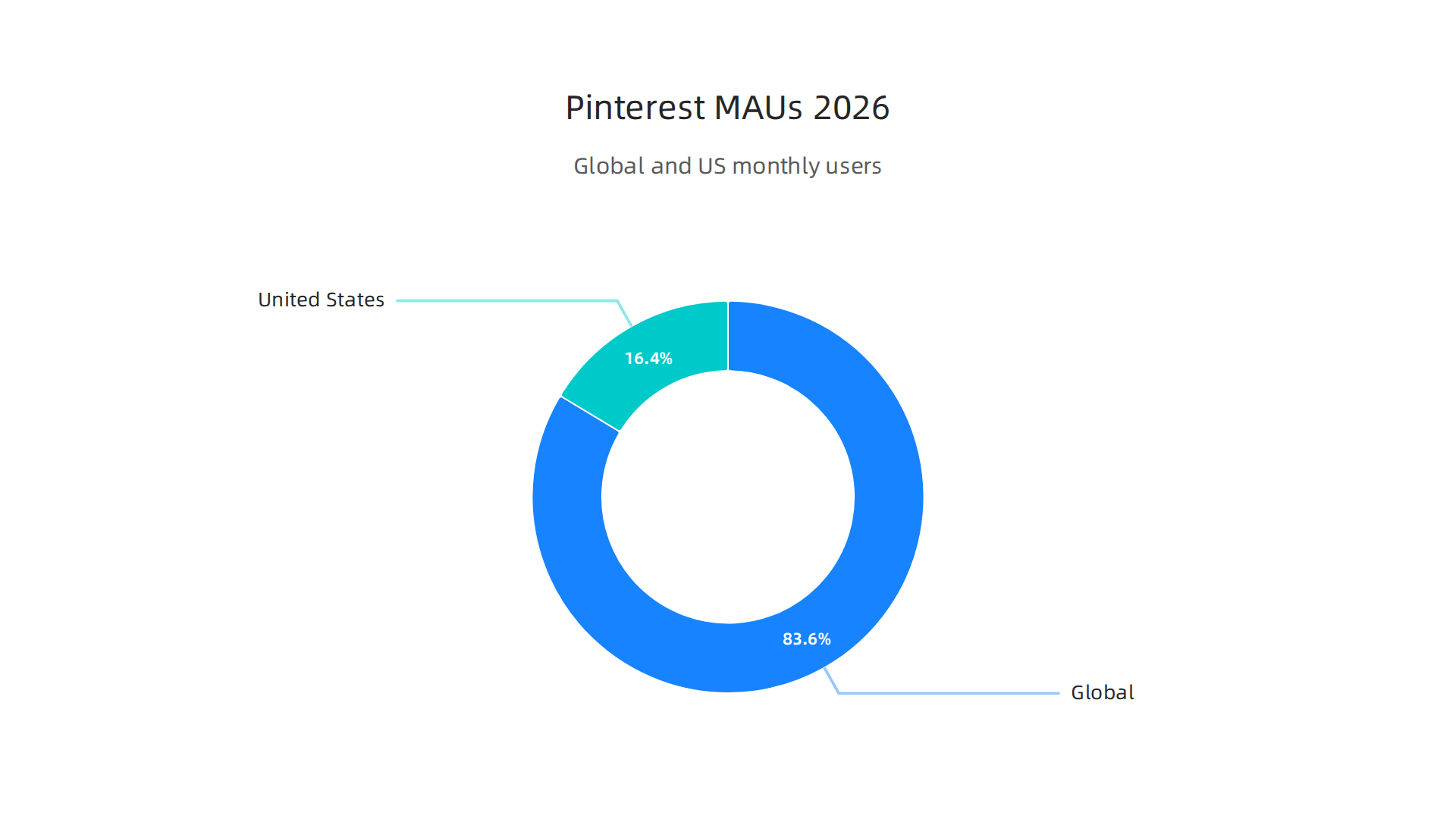
When you think about finding remote work, what comes to mind? LinkedIn, Indeed, maybe ZipRecruiter. Most people never consider Pinterest. But here’s the thing: Pinterest is not just for recipes, home decor, or wedding planning anymore. In 2026, Pinterest has over 537 million monthly active users globally, with the US alone reaching around 105 million users according to recent data.
That is a massive audience actively searching for ideas, solutions, and opportunities.
So why should you care about Pinterest when hunting for remote work and remote jobs? Because Pinterest users show high intent. They are not just scrolling casually. They are planning, researching, and making decisions. This same behavior applies to career searchers. Recruiters and hiring managers use Pinterest too. They search for talent, industry trends, and expert content. If you know how to position yourself, your profile can surface right in front of decision makers looking for remote closing candidates.
For anyone targeting remote high-ticket sales, Pinterest is a hidden goldmine. You can create boards that showcase your expertise, share valuable insights about your industry, and build authority in your niche. Instead of just applying to remote jobs start immediately on job boards, you let opportunities come to you. This is especially powerful for remote closers who need to demonstrate trust and value before ever talking to a prospect.
This guide walks you through a proven system to use Pinterest for remote job discovery and career growth. You will learn how to optimize your profile, create content that attracts recruiters, and turn Pins into paid opportunities.
Ready to build your remote closing career from scratch? Check out our comprehensive guide on how to land remote jobs entry level no experience in 2026 to start with a solid foundation.

Explore Guides for more actionable frameworks to help you secure high-ticket remote sales roles.
Why Pinterest is a Powerful Tool for Remote Job Search in 2026
You might still think of Pinterest as just a place for mood boards and recipes. But here is the truth: in 2026, Pinterest acts more like a visual search engine than a social network. And that changes everything for your job hunt.
Pinterest users show high commercial intent. They are not just scrolling to pass time. They are actively planning. According to Printful’s 2026 statistics report, Pinterest reached a record high of 553 million monthly active users in late 2025. A large chunk of those users are searching for career advice, side hustle ideas, and skill training. When someone searches for "remote work tips" or "high ticket sales training" on Pinterest, they are ready to take action. They want answers now.
Recruiters and hiring managers use Pinterest too. While platforms like Indeed jobs Baltimore focus heavily on local listings, Pinterest gives you access to a national, and even global, audience of decision makers. Recruiters in sales and creative fields actively look for experts who share valuable content. They want to see how you think, not just what jobs you have held.
Compared to LinkedIn, Pinterest has much lower competition for job seekers. On LinkedIn, a single job post gets hundreds or thousands of applications. On Pinterest, your content can rank in search results for months with almost no competition. You have a real chance to stand out without shouting into a crowded feed.
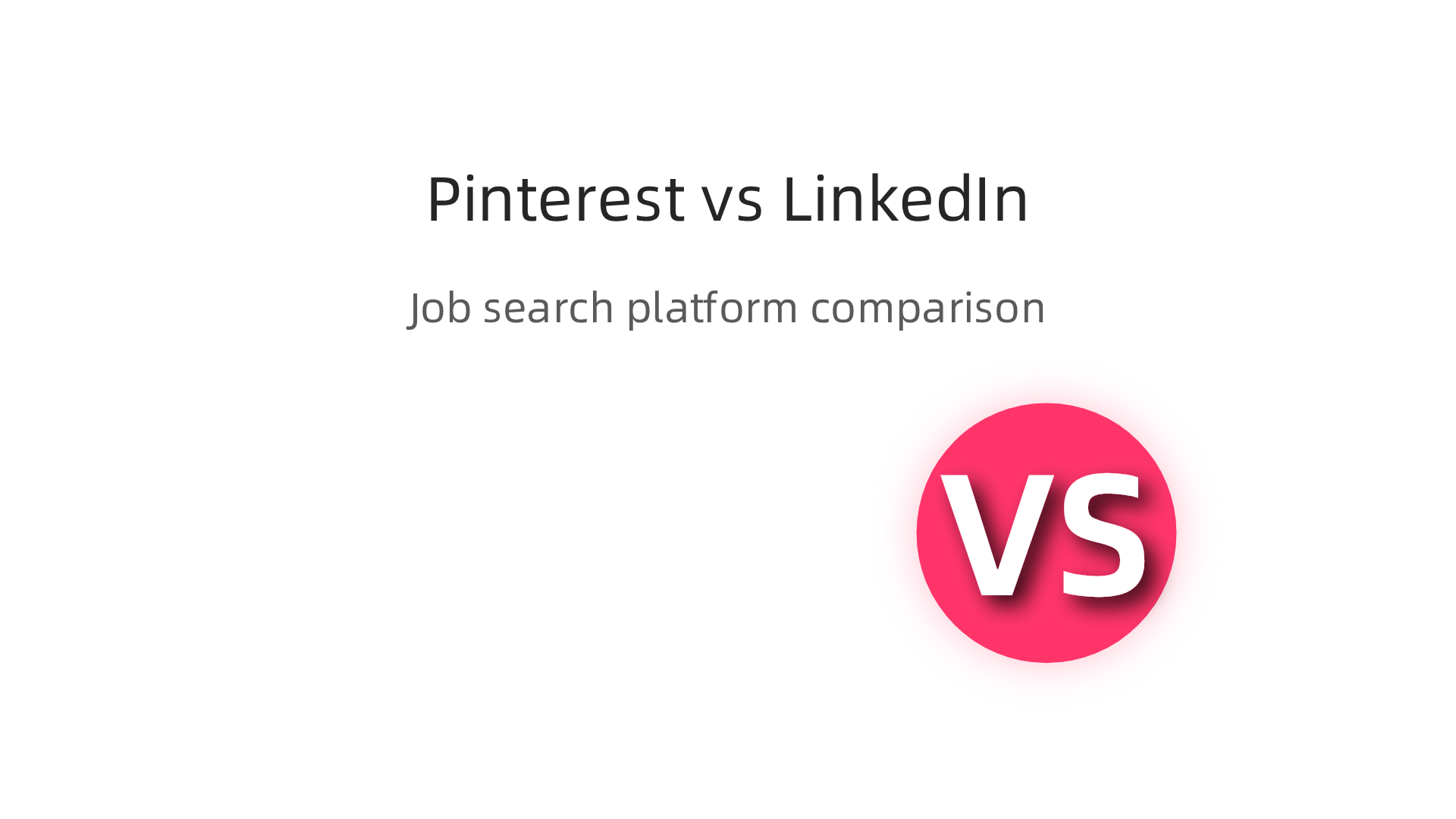
Here is a simple breakdown of how Pinterest compares to more traditional job search tools:
| Feature | LinkedIn | Pinterest |
|—|—|—|
| Competition | Very high for most roles | Low for targeted niches |
| Main content type | Text updates, resumes | Visual Pins, Infographics |
| How you get found | Networking, recruiter InMail | Search engine optimization |
| Best for | Established professionals | Building authority visually |
You can showcase your skills in ways a resume never could. Build boards that demonstrate your knowledge of the sales process. Share Pins about handling objections or closing techniques. Pin articles about remote work from home positions. This builds trust and authority before you even submit an application.
For anyone targeting remote high ticket sales roles, this is a game changer. You become the go to expert before the interview starts. And since the platform is visual, a single well designed Pin can reach far more decision makers than a standard cover letter ever will.
Ready to build your authority on Pinterest and attract the right opportunities? Check out our comprehensive guide on how to find the best remote jobs and build a high-ticket sales career to align your strategy with real results.
Explore Guides for more actionable frameworks to help you land your next remote closing role.
Setting Up Your Pinterest Profile for Maximum Career Visibility
Your profile is the first thing recruiters see. Think of it as your digital handshake. A complete, keyword-rich profile with a professional photo and bio sets the foundation for being discovered.

Start by choosing a clear, friendly headshot. Skip the vacation pictures. Your bio should include terms like "remote high ticket sales closer" or "remote work from home positions expert." Use keywords like "remote pinterest" and "remote jobs start immediately" so you show up when decision makers search for talent. According to the Pinterest SEO guide for 2026, alignment between your profile, boards, and pins helps you rank higher in search results.
Linking to your portfolio, LinkedIn, or personal website from your Pinterest profile boosts credibility. Recruiters want to verify your background quickly. Add a clickable link to your personal site or LinkedIn profile. This turns your Pinterest presence into a bridge to your full professional story. If you are targeting remote roles, this is essential.
Using the right category and claiming your website ensures your pins are authoritative. Go to your profile settings and select "Business" or "Creator" mode. Then claim your website or YouTube channel. This step tells Pinterest you are a real professional, not a spammer. As the Pin Generator team explains, when your account signals expertise clearly, Pinterest rewards you with better visibility.
Ready to take the next step? Explore Guides for more strategies to build your remote closing career.
Mastering Pinterest SEO to Get Discovered by Recruiters
Most people think Pinterest is just for recipes and DIY projects. But here’s the thing: in 2026, Pinterest is a powerful search engine. Recruiters use it to find talent for remote roles. If you want to get discovered, you need to treat your pins like search listings. That means mastering Pinterest SEO.
Start with keyword research. Think about what recruiters type when they look for people like you. Terms like "remote closing jobs," "high ticket sales closer," or "remote work from home positions" are gold.
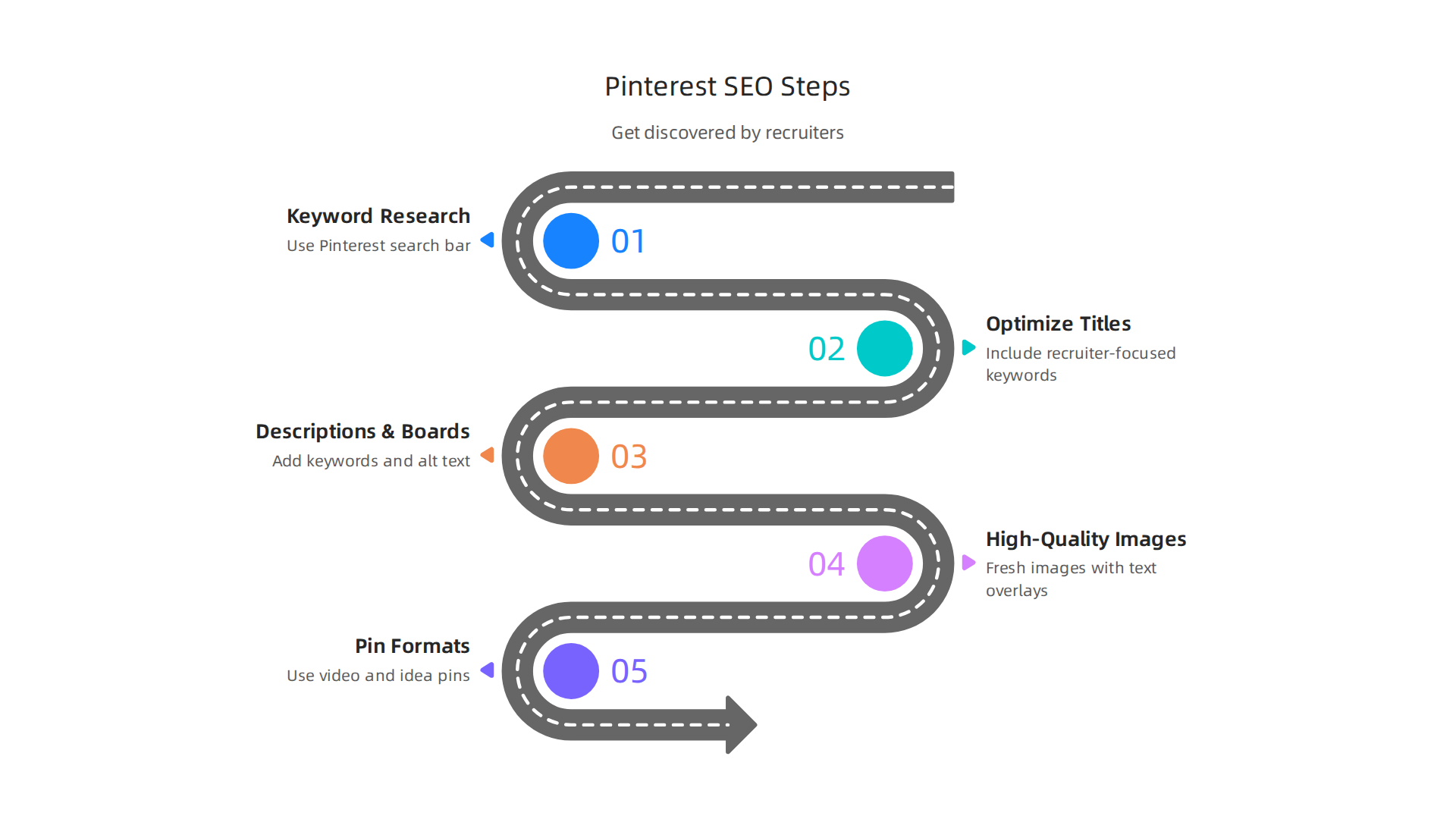
Use the Pinterest search bar to see autocomplete suggestions. Those are real searches people make. Build your pin titles, descriptions, and board names around those phrases. According to the Pinterest SEO guide for 2026, alignment between your profile, boards, and pin text is the secret to ranking higher.

Don’t stop at titles and descriptions. Optimize your board names, pin alt text, and even the text overlay on your images. Everything should point to the same topic. When Pinterest sees consistency, it rewards you with visibility. As Sprout Social explains, mastering keyword research and creating consistent pins are core best practices for 2026.
Your images matter just as much. Use fresh, high-quality photos. Avoid blurry or generic stock shots. Add clear text overlays that include your target keywords. For example, a pin image might say "Remote High Ticket Closer Jobs Available Now." This helps recruiters understand your value in a split second. The Improvado guide on Pinterest marketing recommends vertical pins with keyword-rich descriptions for the best click-through rates.

Also, don’t forget to use different pin formats. Video pins and idea pins tend to get extra love from the algorithm. You can create a short video introducing yourself as a remote closer or a quick tip about landing remote jobs that start immediately. Keep them engaging and under 30 seconds.
If you want to dive deeper into finding actual remote closing opportunities, check out our guide on how to land remote high ticket sales jobs on LinkedIn, Glassdoor, and ZipRecruiter. It pairs perfectly with your Pinterest strategy.
Ready to take the next step? Explore Guides for more actionable frameworks to build your remote closing career.
Creating High-Impact Boards and Pins for Remote Closing Roles
You’ve got your Pinterest SEO down. Now it’s time to build boards and pins that actually catch a recruiter’s eye. Think of your profile as a digital portfolio. Every board should show that you understand remote closing.
Start by organizing your boards around specific topics. Instead of one broad board called "Sales," create focused ones like "Remote Closing Tips," "Sales Scripts That Work," and "High-Ticket Success Stories." This tells recruiters you’re a specialist, not a generalist. As Simple Pin Media explains, taking time to create group board names that serve you well in search is key. List 10 to 15 board ideas on paper and pick the best ones.
Inside each board, use board sections to group related pins. For example, your "Remote Closing Tips" board could have sections for "Objection Handling," "Closing Scripts," and "Mindset." This makes your profile look curated and professional. It also helps Pinterest understand what your content is about. And don’t forget to add a custom cover image for each board. A clean, branded cover makes your whole profile feel polished.
Now for your pins. Every pin should deliver value. Recruiters and job seekers save content that helps them. Create infographics that break down a sales script into steps. Make checklists like "5 Things to Do Before a Remote Closing Call." Share short success stories with a tip attached. These types of pins get saves, clicks, and shares. According to Amasty’s board ideas for 2026, content that teaches something tends to perform better than simple quotes.
When you write pin descriptions, include phrases that your audience searches for. Use terms like "remote work from home positions" or "remote jobs start immediately." But keep it natural. Focus on the benefit to the reader.
If you want to learn more about finding actual opportunities, read our guide on how to use FlexJobs remote jobs to land a high-ticket closing role. It pairs well with your Pinterest strategy.
Ready to take your profile to the next level? Explore Guides for more frameworks to build your remote closing career.
Networking and Community Building on Pinterest
Your boards and pins are polished. Now comes the part many job seekers skip: actually using Pinterest to build real connections. You see, Pinterest is more than a visual search engine. It is a social platform where people collaborate, share, and discover together. And for landing a remote closing role, that community aspect is gold.
Join Group Boards That Matter
Group boards are shared boards where multiple people can contribute pins. When you join a group board focused on remote work, sales, or high-ticket closing, your content gets in front of a much bigger audience. Amasty’s board ideas guide confirms that group boards can help you expand your reach fast. Some people wonder if group boards still work in 2026. But videos like this one on group boards show they are still active and useful when you choose the right ones.
How do you find them? Search for phrases like "remote work" or "sales tips" and look for boards with many contributors. Reach out to the board owner and ask to join. Be polite and explain what you can offer. Once you are in, start pinning your best content there.
Engage Like a Real Person
Group boards alone won’t build relationships. You have to engage. Save other pinners’ content onto your own boards. Leave thoughtful comments on pins that teach you something. Follow people who post about remote closing tips, sales scripts, and high-ticket success stories.
When you engage consistently, recruiters and influencers start to notice you. They might check your profile and see your polished boards. That can lead to a direct message or even a job referral for remote jobs start immediately. One comment or save can open a door you did not expect.
Use Messaging and Following to Connect
Pinterest has a direct messaging feature. Use it. After you follow a recruiter or a sales coach, send a short, friendly note. Say something like: "Hi, I really enjoyed your pin on objection handling. I am building a career in remote closing and would love to connect." Keep it genuine, not salesy.
Also, follow industry leaders in the remote work space. Many of them share content about remote work from home positions and the skills you need to succeed. By following them, you stay on their radar. And when they see your content being saved and shared, they may reach out to you.
Think of this as part of your overall job search. The same way you search on Indeed jobs Baltimore for local remote closing roles, you can use Pinterest to find opportunities that are less advertised. The connections you build here can lead to referrals for remote work and remote jobs that never make it to a job board.
Your networking on Pinterest should feel natural. Share value, be helpful, and let relationships grow over time. It is not about spamming. It is about being part of a community of professionals who understand the power of high-ticket sales.
Ready to take your networking further? Explore Guides for more frameworks that will help you build a complete remote closing career.
Converting Pinterest Engagement into Job Offers
So you are networking well on Pinterest. You are joining group boards, engaging with others, and building connections. That is a huge win. But how do you turn that engagement into an actual job offer? You need a clear system. Working hard is not enough. You have to work with intention.
Here is the first step: every single pin you create needs a clear call-to-action. Do not just post a pretty graphic. Tell the viewer what to do next. Your pin description is prime real estate. Use it to drive traffic to your website or your LinkedIn profile. For example: "I close high-ticket deals remotely. Download my resume template on my site." Or "Seeking remote jobs start immediately. Let us connect on LinkedIn." This directs the recruiter straight to your application. Pinterest has serious power in 2026. Statistics show it has a high conversion value compared to other social platforms. Make sure your pins are working for you around the clock.
The second step is tracking. You cannot improve what you do not measure. Switch to a free business account and use Pinterest analytics to see what drives traffic. Which pins lead to profile visits? Which ones lead to link clicks? When you see a winning pin, create more content on that same topic. This data helps you build a profile that attracts recruiters looking for remote work and remote jobs talent.
The third step is follow-up. Recruiters engage with content too. When a hiring manager saves your pin or follows your board, send them a direct message. Thank them for the connection. Briefly mention that you are open to opportunities in high-ticket sales. This turns a simple save into a warm lead. It is a much softer approach than a cold email. You can find these connections on platforms like indeed jobs baltimore for local leads, but on Pinterest the connection is already personal.
For a complete strategy, mix your remote pinterest efforts with other major job platforms. Our guide on landing remote high-ticket closing jobs on LinkedIn, Glassdoor, and Indeed helps you win on every channel.
Turning engagement into offers is a skill. It takes practice. But with the right system, you can turn your Pinterest profile into a real career pipeline. Contact Us if you want personalized support building your remote closing career.
Common Mistakes Job Seekers Make on Pinterest and How to Avoid Them
You’ve learned how to turn pins into job offers. But many job seekers trip over the same simple mistakes. Let’s fix those so your remote pinterest strategy works even better.
Mistake 1: Using a Personal Board Structure That Looks Unprofessional
Fresh accounts often look messy. You might have boards like "Dream Vacation" right next to "Job Search 2026". Recruiters see that and think you are not serious. Fix this with consistent branding. Use a clear profile picture, a professional bio, and boards that match your career goals. Name your boards things like "High Ticket Sales Tips" or "Remote Work and Remote Jobs" Opportunities. Keep your visual style the same across every pin. This builds trust with hiring managers.
Mistake 2: Ignoring Keyword Research and Pinning Irrelevant Content
Pinterest is a search engine. If your pins do not use the right words, no one will find them. Many people pin random motivational quotes but never target phrases like "remote jobs start immediately" or "remote pinterest" strategies. Do your research first. Use Pinterest’s search bar to see what recruiters type. Then build your pins around those exact keywords. A proven strategy is to focus on remote work from home positions and high ticket closing terms. For more on how to maximize your reach, check out this guide on getting views on Pinterest in 2026. That will help you pin content that matches what hiring managers are searching for.
Mistake 3: Not Engaging With the Community
Pinterest is not a dump and run platform. Yet many job seekers post pins and disappear. That is a big error. You need to like, comment, and share other people’s content. Join group boards related to your niche. Thank people who save your pins. This social activity signals to Pinterest that you are active, so your content gets shown more. Treating Pinterest as a real social network is the key. If you ignore engagement, you miss out on warm leads. For general job hunting tips, this list of mistakes to avoid in 2026 covers the same problem across all platforms.
Put It All Together
Avoid these three mistakes and your remote pinterest profile will stand out. Focus on professional branding, smart keywords, and real interaction. Combine this with other job search channels for the best results. Our guide on landing remote high-ticket closing jobs across multiple platforms shows you how to expand your reach.
Ready to build a remote closing career? Explore more guides to keep your strategy sharp.
Measuring Your Pinterest Job Search Success: Metrics That Matter
So you have fixed your boards and started pinning the right keywords. But how do you know if it is actually working? Without tracking, you are guessing. And guessing wastes time.
The good news is Pinterest gives you real numbers. You just need to know which ones matter for your job search.
Focus on These Four Key Metrics
Not all numbers are helpful. Focus on the ones that show real interest from recruiters.
-
Saves: This is the biggest signal. When someone saves your pin, they want to come back to it later. A high save rate means your content is valuable. Recruiters save pins about remote roles they want to share with hiring teams.
-
Outbound Clicks: This tells you people are leaving Pinterest to visit your link. If a recruiter clicks through, they might be checking your portfolio, resume, or LinkedIn profile. That is a direct step toward a job.
-
Profile Visits: When someone clicks your profile, they want to learn more about you. This is a huge win. Your profile bio and board names need to make a solid first impression fast.
-
New Followers: People follow accounts that provide consistent value. Growing followers in your niche means you are building a reputation. That can lead to direct messages from hiring managers.
Use Pinterest Analytics to check these numbers every week. It is free and built right into your account. Look at which pins perform best and make more content like that. The guide on getting views on Pinterest in 2026 explains how to analyze your top performers and double down on what works.
Set Simple Weekly Goals
Tracking is useless without action. Set easy goals to keep your momentum going. For example:
- Pin at least 5 new pieces of content per day.
- Engage with 10 other users in your niche.
- Check your analytics every Monday morning.
This routine makes your remote pinterest strategy a habit, not a chore. Over time, you will see which topics drive the most interest. Then you can adjust your approach.
Turn Metrics Into Better Opportunities
When you see a pin getting lots of saves and clicks, ask yourself why. Was it the headline? The image? The topic? Replicate that success with similar content. And if a certain topic flops, stop pinning it. Simple as that.
Tracking your search results also helps you avoid general job hunting mistakes. For more on this, check out this list of job hunting mistakes to avoid in 2026. It covers the same tracking gaps that hurt candidates across all platforms.
Putting this together with other job search channels is smart. Our guide on landing remote high-ticket closing jobs on LinkedIn, Glassdoor, and ZipRecruiter shows you how to connect your Pinterest wins to direct applications.
Your Next Step
You now have a clear system to measure and improve your remote pinterest job search. The only thing left is to start tracking.
Explore Guides to keep learning strategies that actually work.
Summary
This article shows how Pinterest can become a powerful, low‑competition channel for finding remote high‑ticket sales roles by acting as a visual search engine where recruiters look for talent. It explains why Pinterest matters in 2026, how to set up a professional, keyword‑rich profile, and how to use Pinterest SEO to get discovered. You will learn how to build focused boards and high‑value pins that showcase sales skills, join and use group boards to expand reach, and engage with recruiters via direct messages. The guide also covers the exact steps to convert saves and clicks into job leads—using CTAs, tracking, and follow‑up—and which analytics to watch. Finally, it highlights common mistakes to avoid so your Pinterest presence looks polished and strategic. By following this system you can attract opportunities, funnel recruiters to your portfolio, and create a repeatable pipeline for remote closing roles.